Li-Fi does not replace Wi-Fi. In a small number of rooms it removes an exposure that Wi-Fi cannot remove: a network signal that can be received outside the walls. The cost is line of sight, smaller cells and extra hardware on every device. This article compares the two for security-sensitive indoor networks and describes how to test the choice before committing to it.
How each technology carries data
Wi-Fi modulates radio waves in the 2.4, 5 and 6 GHz bands. Radio at these frequencies passes through plasterboard, glass and, with some loss, brick. That is why one access point can serve several rooms, and also why a network can be detected from a corridor or a car park.
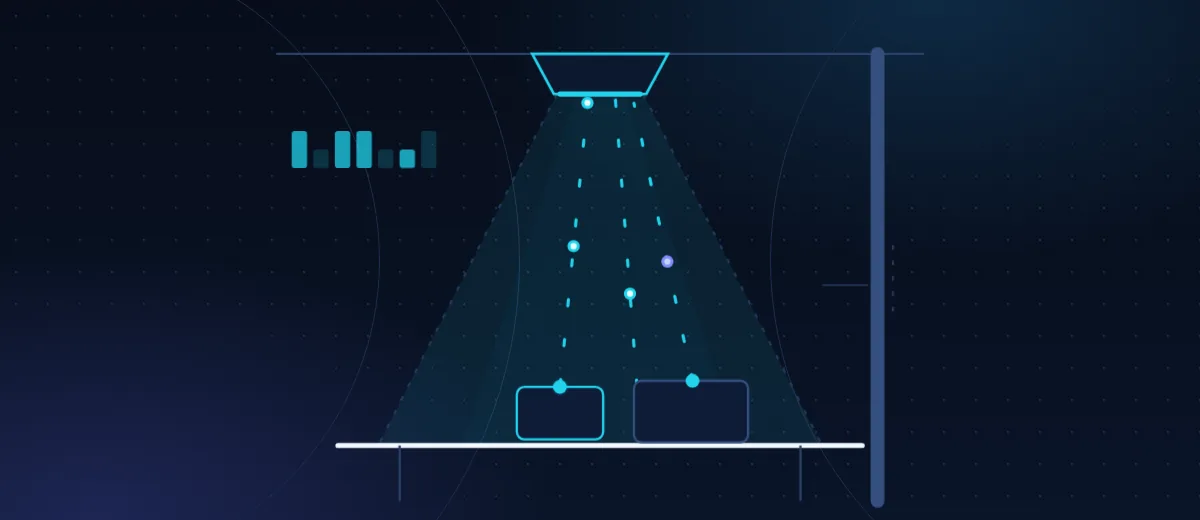
Li-Fi modulates the intensity of light from an LED or a laser diode at rates far above what the eye can perceive, and a photodiode at the receiver converts the light back into an electrical signal. Systems use visible light, near-infrared light or a combination, often with infrared for the uplink from the device. IEEE 802.11bb, published in 2023, defines light communication inside the Wi-Fi family of standards, which lets Li-Fi reuse the existing 802.11 MAC layer and its security mechanisms. ITU-T G.9991 is a separate specification used by several commercial products.
| Property | Wi-Fi | Li-Fi |
|---|---|---|
| Medium | Radio, 2.4, 5 and 6 GHz | Visible or near-infrared light |
| Passes through walls | Yes, with attenuation | No, opaque surfaces block it |
| Coverage per access point | Tens of metres, several rooms | A cone a few metres across, one part of one room |
| Line of sight | Not required | Required, or a strong reflection |
| Radio interference | Affected by other transmitters and electrical noise | Not affected; does not emit radio |
| Other interference | Little effect from lighting | Direct sunlight raises receiver noise; objects block the beam |
| Device support | Built into nearly every device | Usually a USB adapter or an added module |
| Typical throughput | Hundreds of megabits to gigabits per second, shared | Tens of megabits to around a gigabit per second per access point |
What "secure" means for a wireless link
A comparison only makes sense against a threat model. For an indoor wireless network the relevant threats are these: an eavesdropper outside the room or building; someone who detects that a network exists at all; a jammer; a rogue access point; and an insider or a compromised device that is already in the room.
Li-Fi changes the first three. Light does not pass through an opaque wall, so an eavesdropper outside has nothing to receive. The optical access point emits no radio, so a radio survey of the building does not reveal it. A radio jammer has no effect on a photodiode. An attacker would have to flood the receiver with light from inside the room, which is hard to do without being noticed.
It does nothing about the last two. A person inside the coverage cone with a suitable receiver can capture the downlink. A laptop infected with malware leaks data whichever link it uses. The wired backhaul behind the access point is as exposed as any other switch port.
Confinement is a layer of defence. It does not replace cryptography. A Li-Fi network still needs WPA3 or 802.1X authentication, encryption on the link and segmentation at the switch. Light also leaks: through windows, under doors and by reflection off glossy floors. Leakage has to be measured on site, and windows may need blinds or film.
Wi-Fi security is mostly a configuration problem
Modern Wi-Fi is not weak. WPA3-Enterprise with 802.1X gives each user individual credentials and keys. Protected management frames stop the deauthentication attacks that were common a decade ago. Wireless intrusion detection flags rogue access points. Networks that get breached usually run shared passphrases, old protocols left enabled for legacy devices, or flat networks where a guest can reach internal servers.
What configuration cannot change is physics. A Wi-Fi signal will reach beyond the room, and a patient attacker with a directional antenna can record encrypted traffic for later analysis. For most offices that residual risk is acceptable. For a room where classified designs, clinical data or negotiation positions are discussed, it may not be.
Where Li-Fi is a sound choice
- Rooms where the signal must stay inside: secure meeting rooms, R&D laboratories, and offices that handle sensitive case files.
- Spaces that restrict radio emissions: certain clinical areas, and test chambers where radio would disturb measurements.
- Areas with heavy electromagnetic interference: production cells with large drives, welders or induction heaters, where Wi-Fi performance is erratic.
- Hazardous zones, provided every piece of equipment carries the certification required for that zone.
- Dense venues, as additional capacity beside Wi-Fi, because optical cells do not consume radio spectrum.
Where it is the wrong tool
General office coverage is the obvious case. People walk between rooms, carry phones in pockets and sit with their backs to the ceiling unit. Phones and tablets rarely have an optical transceiver, so each needs an adapter. Covering a whole floor takes many more access points than Wi-Fi does, each with its own cable. Outdoors, sunlight and distance make indoor Li-Fi products unsuitable. If the requirement is broad, mobile, low-cost coverage, Wi-Fi with a well-built security configuration is the better answer.
A hybrid design that uses both
The practical pattern is a hybrid network. Optical access points serve the sensitive rooms and fixed workstations. Wi-Fi serves corridors, common areas and mobile devices. Both authenticate against the same 802.1X service, so users keep one identity.
The security benefit comes from policy. Place sensitive systems on a VLAN that is reachable only through the optical access points, so that those systems cannot be reached over radio at all. Then decide deliberately what happens when the light path is blocked. For general traffic, falling back to Wi-Fi is convenient. For the sensitive VLAN, the better behaviour is usually to wait for the optical link to return.
How to pilot it
A pilot in one or two rooms answers most questions within a few weeks. Measure these and write down the pass criteria beforehand:
- Throughput and latency at each seat, with people seated normally and laptops in ordinary positions.
- Behaviour when the beam is blocked by a hand, a raised screen or a person standing up, and the time taken to recover.
- Performance at different times of day, including periods of direct sunlight through windows.
- Leakage: place a receiver outside windows, at door gaps and in adjacent rooms, and record what it can decode.
- Handover between adjacent optical cells, and between Li-Fi and Wi-Fi where fallback is allowed.
- The effort needed to issue, install and manage adapters and their drivers.
If the pilot passes, the same measurements become the acceptance tests for the full installation.
Summary
Choose Li-Fi for specific rooms when the threat model includes eavesdropping from outside, radio detection or radio restrictions, and when users work at known positions. Keep Wi-Fi for everything else, and configure it properly. Our Li-Fi system design and development service covers feasibility studies, link budgets and pilots, and our cybersecurity practice reviews the authentication, segmentation and monitoring around either kind of network.